 Skip to content
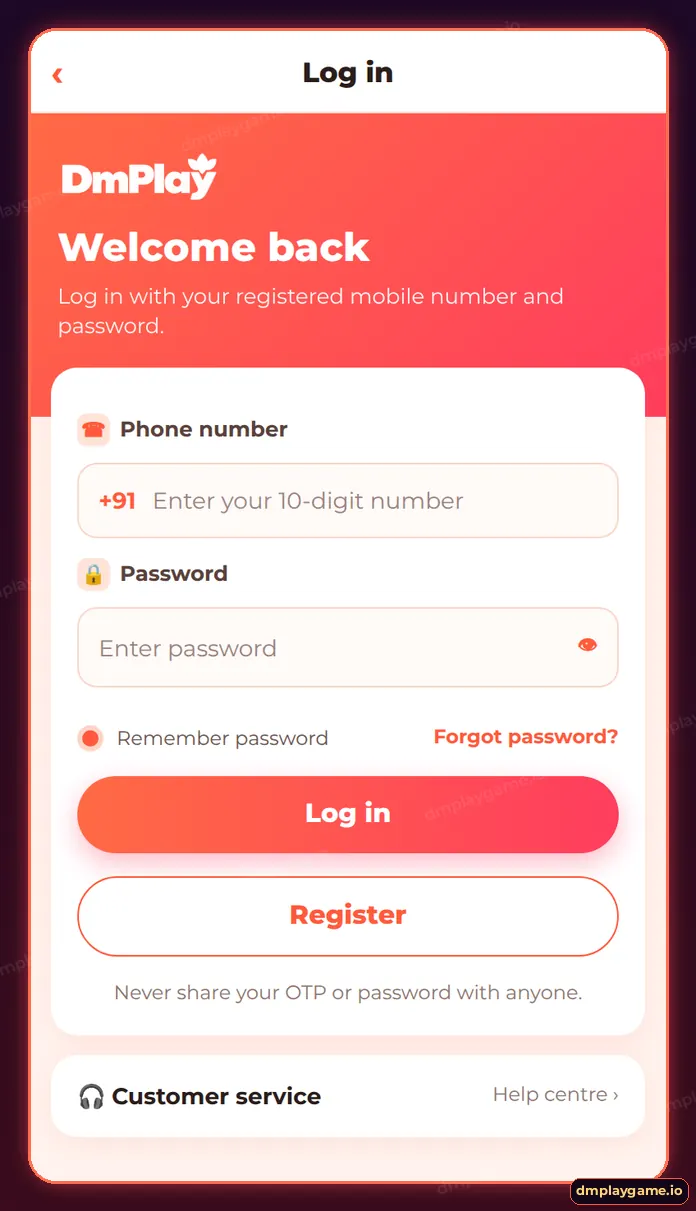
For DmPlay game login, open the DmPlay app or a verified link, tap Log in, enter your registered 10-digit mobile number and password, and tap Log in. If you forgot the password, tap Forgot password? on the same screen and reset it with an SMS OTP.
How do I log in to DmPlay?
- Open the installed DmPlay app, or your saved DmPlay bookmark.
- Tap Log in at the top of the home screen.
- Enter your registered mobile number after +91.
- Type your password (tap the eye icon to check it).
- Optional: tick Remember password on your own phone only.
- Tap Log in. Your balance shows in the Wallet tab.
What details does DmPlay login ask for?
| Field | Enter | Tip |
|---|---|---|
| Phone number | The number you registered with | No leading 0 or +91 needed |
| Password | Your DmPlay password | Case-sensitive |
| Remember password | Tick or leave blank | Only on a private device |
The DmPlay login page never asks for your UPI PIN, card number or OTP. If a page does, close it.
How do I log in on a computer?
Open the same DmPlay web address in Chrome, Edge or Safari on your PC or Mac. The layout stretches to fit, but the Log in button, fields and lobby are identical. Log out when you finish if anyone else uses the computer.
Why is my DmPlay login not working?
- Wrong password — use forgot password to reset it by OTP.
- “Account does not exist” — check you typed the number you registered with.
- Page will not load — switch networks, update the app or clear cache.
- Account frozen — contact DmPlay customer care.
See every fix on DmPlay login problems.
How do I keep my login secure?
- Use a password you do not use on other sites.
- Never share OTPs with anyone, including “agents”.
- Log in only from the app or a bookmark — not from links in groups.
- Change your password from Account → Settings if you suspect anything.
Who is this login guide for?
Existing DmPlay players on Android, iPhone or desktop. New here? Create an account first with the DmPlay register guide, or browse the dmplay game login home page.
Key takeaways
- Login = mobile number + password.
- Reset forgotten passwords with an SMS OTP.
- Only log in from the app or a saved bookmark.
- No real login page asks for a UPI PIN.
Frequently asked questions
How do I log in to DmPlay?
Tap Log in, enter your registered mobile number and password, and tap Log in.
Can I log in with OTP?
Password login is the standard route; OTP is used to reset a forgotten password.
Can I use one account on two phones?
Yes, but log out of devices you no longer use, and never share your account.
Why does DmPlay log me out?
Sessions expire after inactivity or an app update. Log in again with your details.
Can I change my login number?
Ask customer care; number changes need verification.
Is DmPlay login the same on web and app?
Yes. One account works on both.
