 Skip to content
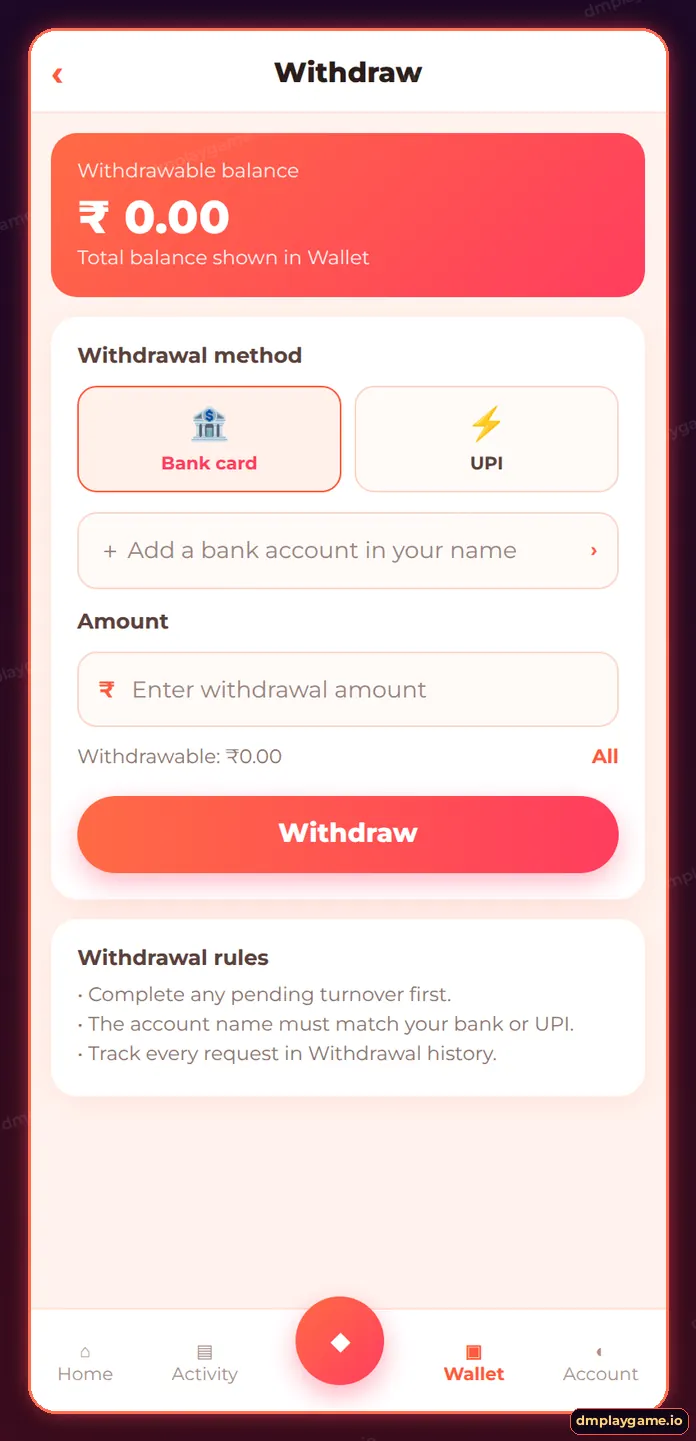
To add a bank account on DmPlay, open Wallet → Withdraw → Add bank card (or Account → Bank), enter the account holder name exactly as in your bank, choose the bank, type the account number and IFSC code, and save. You can also add a UPI ID. The name must match your bank records.
How do I add a bank account on DmPlay?
- Log in and go to Wallet → Withdraw.
- Tap Add a bank account number.
- Enter the full name as printed in your passbook.
- Choose your bank from the list.
- Enter the account number and re-check it.
- Enter the 11-character IFSC code.
- Add phone/email if asked and tap Save.
Which details does DmPlay ask for?
| Field | Example format | Common mistake |
|---|---|---|
| Account holder name | RAHUL KUMAR SHARMA | Nickname or short form |
| Bank name | Choose from list | Picking a similar bank |
| Account number | 9–18 digits | Missing a digit |
| IFSC | SBIN0001234 | Letter O instead of zero |
| UPI ID (optional) | name@bank | Someone else’s UPI |
Can I change my bank account later?
Changes are often restricted for security. If you need to replace a closed account, contact DmPlay customer care with proof. That is why it pays to enter details carefully the first time.
How do I set a withdrawal password?
- Account → Security or Settings.
- Choose Withdrawal password.
- Set a PIN/password different from your login password.
- Confirm with OTP if requested.
Who should add a bank account?
Every player — ideally before the first deposit — so a DmPlay withdrawal never waits on paperwork. More guides on the DmPlay home page.
Key takeaways
- Name must match your bank exactly.
- Double-check account number and IFSC.
- Use only accounts in your own name.
- Set a separate withdrawal password.
Frequently asked questions
Can I add someone else's bank account?
No. Use an account in your own name to avoid rejected withdrawals.
How many bank accounts can I add?
The app shows the limit; usually a small number is allowed.
What is IFSC?
An 11-character code that identifies your bank branch, printed on your cheque book or passbook.
Can I add a UPI ID instead?
Yes, where the UPI option is available on the Withdraw screen.
Why was my bank account rejected?
Usually a name mismatch or incorrect IFSC. Re-check the details.
Is my bank data safe?
Only add it inside the genuine app and never share screenshots of it in groups.
