 Skip to content
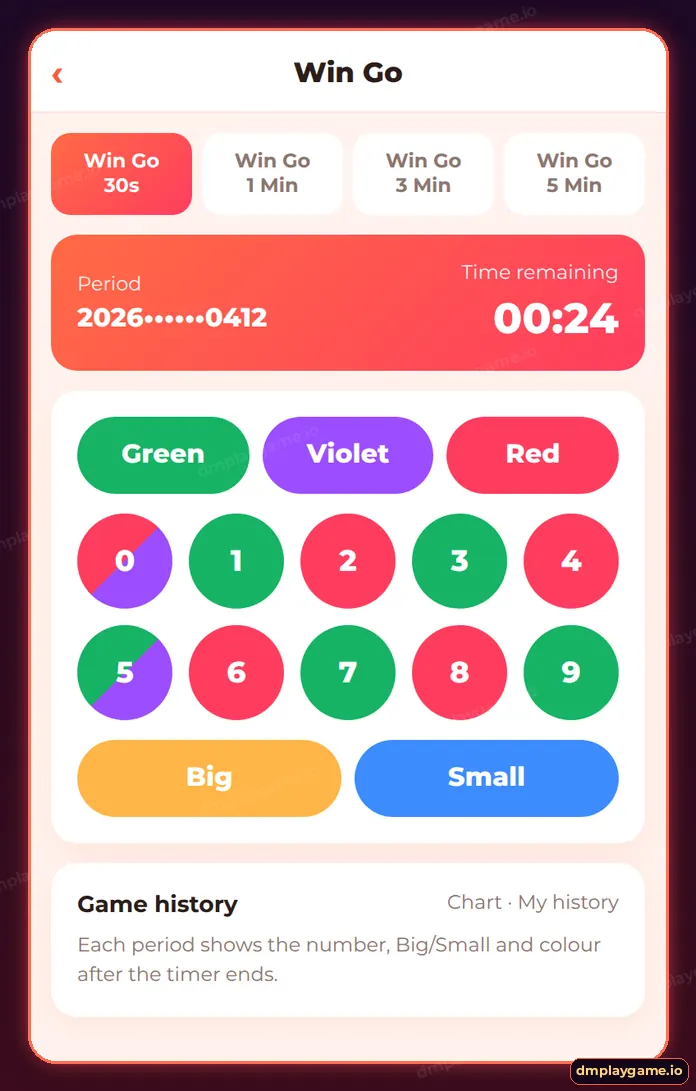
DmPlay result history is shown under each lottery game in three tabs: Game history (all recent results), Chart (trend view) and My history (your own bets). Each row lists the period number, the result and its colour or size. Past results are a record, not a forecast.
Where is result history in DmPlay?
| Tab | Shows | Use it to |
|---|---|---|
| Game history | Period, number, Big/Small, colour | Check recent outcomes |
| Chart | Trend lines and missing counts | View streaks visually |
| My history | Your bets, results, profit/loss | Track spending |
How do I read a period number?
Period numbers combine the date and the round sequence, so you can match a result to the exact time you played. Quote it when contacting support.
Can result history predict the next round?
No. Every draw is independent. Trend charts show what happened, not what will happen. See why prediction tools fail.
Why should I check My history?
- See total spent this session.
- Spot when you are chasing losses.
- Confirm a bet was placed.
- Settle disputes with period numbers.
Who uses result history?
All lottery players, especially those tracking budgets. Game rules: Win Go, K3, 5D, TRX. Home: DmPlay.
Key takeaways
- Three tabs: Game history, Chart, My history.
- Period numbers identify rounds.
- History records — it does not predict.
- My history helps you track spending.
Frequently asked questions
Where can I see DmPlay Win Go results?
Under the Win Go game, Game history tab.
How far back does history go?
The app shows recent periods; scroll or page for more.
Can I download results?
There is no export; screenshots work for your records.
What is the Chart tab?
A trend visualisation of recent results.
Why doesn't my bet show?
Refresh My history; if missing, contact support with the period number.
Do charts improve winning chances?
No. Results are random.
