 Skip to content
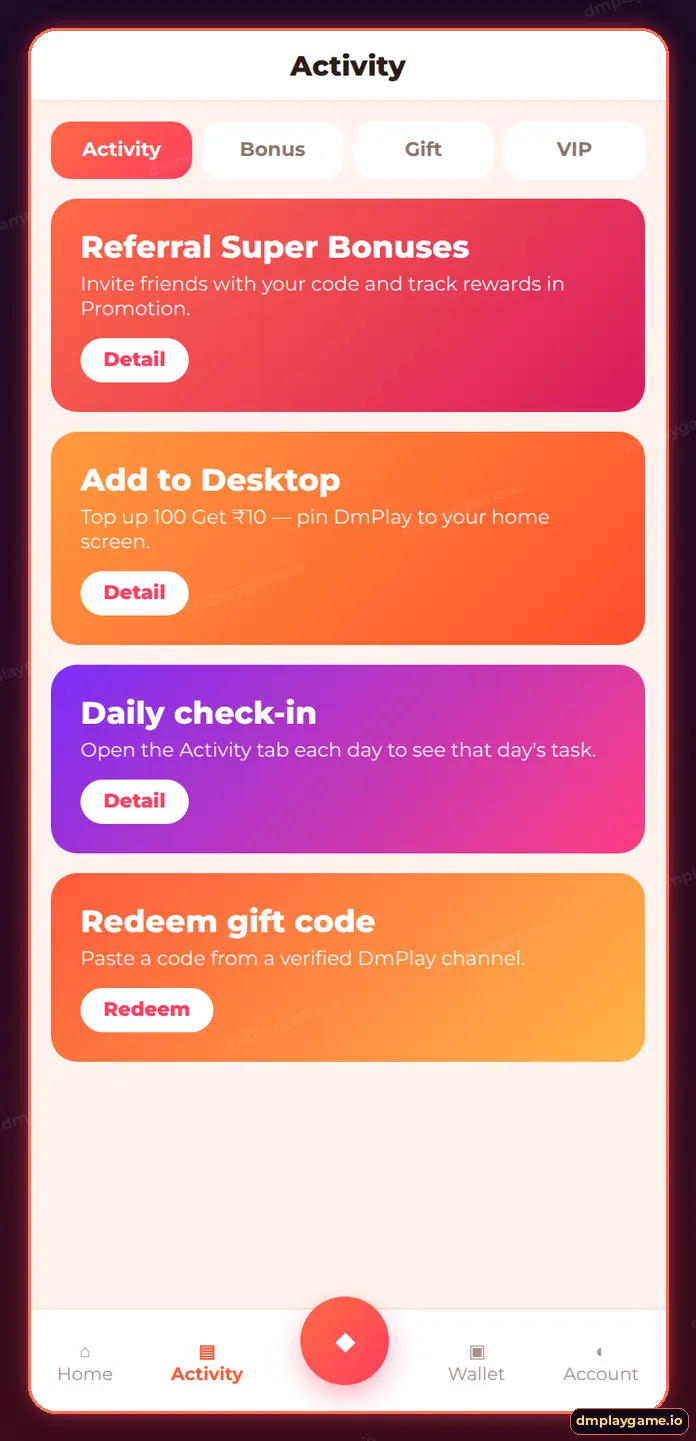
DmPlay Add to Desktop pins the DmPlay web app to your phone’s home screen so it opens full-screen like a normal app — no APK needed. On iPhone use Safari → Share → Add to Home Screen; on Android use Chrome’s menu → Add to Home screen. The lobby prompt has paired this with a small top-up offer (“Top up 100 Get ₹10”).
What is the DmPlay Add to Desktop prompt?
At the bottom of the home lobby, a coral pop-up with the DmPlay icon invites you to add the site to your home screen. It has displayed the text “Top up 100 Get ₹10 — Add to Desktop”. Tap the × to close it or tap the prompt to see the steps. The offer terms live in the Activity tab and can change.
How do I add DmPlay to an iPhone home screen?
- Open DmPlay in Safari (other iOS browsers may not show the option).
- Tap the Share icon at the bottom.
- Scroll and tap Add to Home Screen.
- Keep the name “DmPlay” and tap Add.
- Open DmPlay from the new icon and log in.
How do I add DmPlay to an Android home screen?
- Open DmPlay in Chrome.
- Tap the three-dot menu.
- Choose Add to Home screen or Install app.
- Confirm, then open from the icon.
Prefer a full APK? See DmPlay app download.
Add to Desktop vs APK — which is better?
| Add to Desktop | Android APK | |
|---|---|---|
| Works on | iPhone, Android, tablets | Android only |
| Install time | Seconds | About a minute |
| Storage | Almost none | Small app + game assets |
| Updates | Automatic with the site | In-app prompt |
| Notifications | Limited | Supported |
How do I claim the top-up offer?
Open Activity, find the Add to Desktop event and read its Detail page for eligibility and turnover. Claim it only after reading the rules — our DmPlay bonus guide explains turnover. Deposits always go through Wallet → Deposit.
Who should use Add to Desktop?
iPhone users, anyone low on storage and players who prefer not to install APKs. All other set-up guides are on the DmPlay home page.
Key takeaways
- Add to Desktop = home-screen shortcut that opens full-screen.
- iPhone: Safari → Share → Add to Home Screen.
- Offer terms are in the Activity tab.
- Works alongside, not instead of, your account.
Frequently asked questions
What does Add to Desktop mean on DmPlay?
It means adding the DmPlay web app to your phone’s home screen.
Is Add to Desktop safe?
Yes. It only creates a shortcut to the site you are already on.
Why don't I see Add to Home Screen on iPhone?
Use Safari; some other browsers on iOS hide the option.
Does the ₹10 offer always apply?
Offers change. Check the current Activity rules before topping up.
Will I get notifications?
Home-screen web apps have limited notifications; the APK supports more.
Can I remove it later?
Yes. Long-press the icon and remove it like any app.
